


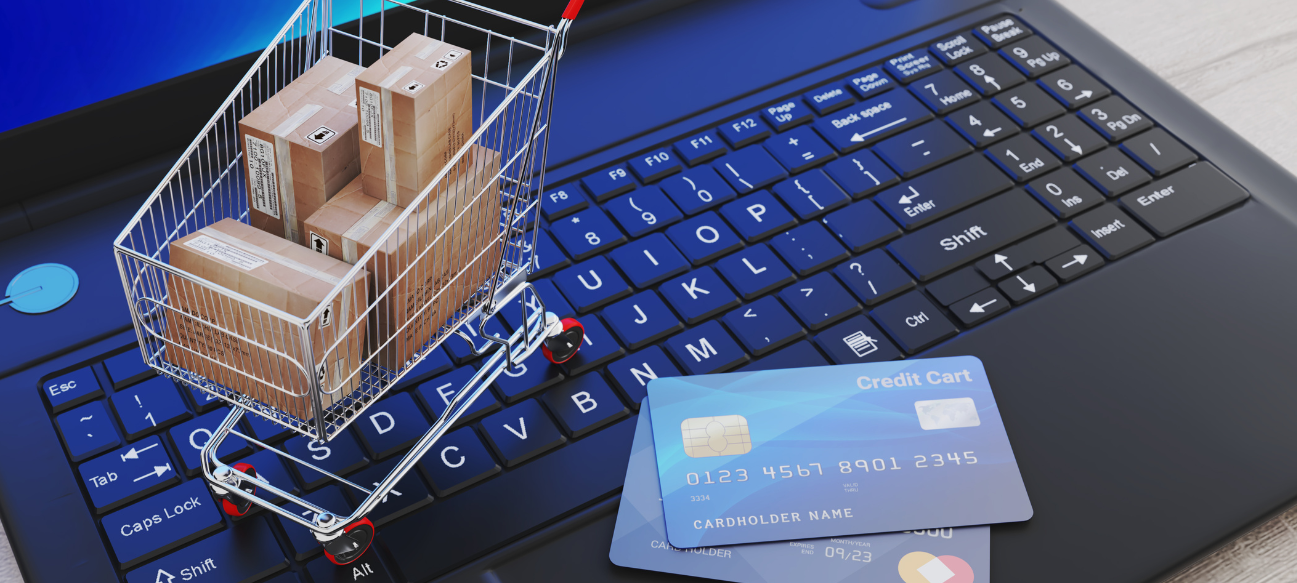
Introduction of E Commerce:
E commerce (Electronic Commerce) is the term used to describe the purchase and sale of goods or services online. It involves a broad spectrum of commercial transactions that occur online, between individuals, businesses, or governments. E commerce facilitates consumers and businesses to make exchanges of products, services, and information instantly without geographical boundaries.
Key Elements of E Commerce
- Online Stores/Websites (e.g., Amazon, Flipkart)
- Digital Payments (UPI, credit/debit cards, net banking)
- Order Fulfillment (shipping, logistics, returns)
- Customer Service (chatbots, helplines, reviews)
E Commerce vs Traditional Commerce
| Aspect | E Commerce | Traditional Commerce |
|---|---|---|
| Mode of Operation | Buying/selling done online via internet | Physical stores, face-to-face transactions |
| Accessibility | 24/7 access from anywhere with internet | Limited to store hours and location |
| Reach | Global customer base | Local or regional customer base |
| Cost | Lower overheads (no physical storefront) | Higher costs (rent, staff, utilities) |
| Customer Interaction | Mostly virtual (chat, email, calls) | Direct personal interaction |
| Product Experience | Limited to images, videos, descriptions | Physical touch, try, feel, and examine |
| Payment Methods | Digital payments (cards, wallets, UPI) | Cash, cards, checks |
| Logistics | Delivery services, shipping required | Customer picks up or immediate purchase |
| Marketing | Digital ads, SEO, social media marketing | Traditional ads, billboards, flyers |
| Returns & Refunds | Managed via courier or pickup services | In-store returns and exchanges |
Steps to Start an E Commerce Business
1. Choose Your Product/Niche
- Identify products or services you want to sell.
- Research market demand, competition, and target audience.
2. Conduct Market Research
- Analyze competitors and customer preferences.
- Understand pricing, trends, and potential suppliers.
3. Create a Business Plan
- Define your business goals, budget, and marketing strategies.
- Plan logistics, inventory management, and customer service.
4. Register Your Business
- Choose a business structure (sole proprietorship, LLC, Pvt Ltd).
- Obtain necessary licenses and GST registration (for India).
5. Choose an E Commerce Platform
- Options include Shopify, WooCommerce, Magento, or marketplaces like Amazon and Flipkart.
- Consider ease of use, customization, and payment integration.
6. Build Your Online Store
- Design your website with a user-friendly interface.
- Add product listings with descriptions, images, and prices.
- Set up payment gateways and shipping options.
7. Set Up Logistics & Inventory
- Decide on inventory storage (self-managed or third-party).
- Partner with reliable courier and delivery services.
8. Market Your Store
- Use SEO, social media marketing, paid ads, and email campaigns.
- Offer promotions, discounts, and referral programs.
9. Launch Your Store
- Test the website thoroughly before going live.
- Announce your launch on all marketing channels.
10. Monitor & Optimize
- Track sales, customer behavior, and website analytics.
- Continuously improve user experience and marketing efforts.
Staying legal in E Commerce
1. Register Your Business Legally
- Choose a business structure: Sole Proprietorship, Partnership, LLP, Private Limited Company, etc.
- Register with the appropriate authority (e.g., Ministry of Corporate Affairs in India).
- Obtain necessary licenses/permits, such as:
- GST registration (if applicable).
- Shops and Establishment License (in some states).
- Import Export Code (IEC) if selling internationally.
2. Comply with Tax Laws
- Register for GST if your turnover exceeds the threshold or you sell inter-state/internationally.
- Collect and remit GST appropriately on your goods/services.
- File GST returns and maintain proper invoicing and record-keeping.
3. Follow Consumer Protection Laws
- Display accurate product details: Description, price, shipping info, etc.
- Offer a return/refund policy that is clear and fair.
- Respond to customer complaints promptly.
- In India, comply with the Consumer Protection (E-Commerce) Rules, 2020, including:
- Transparent listing of sellers.
- Non-discrimination among sellers.
- Disclosure of all contractual information.
4. Draft and Display Legal Policies
Include these on your website:
- Terms and Conditions
- Privacy Policy (especially important for data protection compliance)
- Return/Refund Policy
- Shipping Policy
- Disclaimer (as needed)
5. Protect Customer Data (Data Privacy Laws)
- Collect only necessary data.
- Use secure servers (HTTPS) to protect user data.
- Comply with data protection laws, such as:
- GDPR (if serving EU customers)
- IT Act & Draft Digital Personal Data Protection Act (India)
- Provide opt-ins for marketing and cookies.
6. Respect Intellectual Property (IP)
- Do not use copyrighted images, logos, or brand names without permission.
- Register your trademark to protect your brand.
- Avoid listing counterfeit goods.
7. Comply with Payment Regulations
- Use authorized payment gateways.
- Ensure PCI DSS compliance for handling card data.
- Follow RBI/Banking guidelines if offering EMI, BNPL, or wallets.
8. Follow Platform-Specific Rules (if selling on marketplaces)
If selling via Amazon, Flipkart, Meesho, etc.:
- Adhere to their terms of service.
- Submit proper KYC and tax documentation.
- Follow inventory, return, and advertising guidelines.
9. Stay Updated on Legal Changes
- Keep up with amendments in e-commerce, tax, and data protection laws.
- Consult a legal expert or hire compliance professionals periodically.
10. Maintain Proper Records
- Keep records of transactions, tax filings, shipping info, and customer communication for audits and dispute resolution.
Advantages of E Commerce
- Convenience: Shop anytime, anywhere—24/7 availability.
- Wider Reach: Access customers globally, beyond geographical limits.
- Lower Costs: Saves on physical store rent, utilities, and staff.
- Variety: Large product selection and easy price comparison.
- Personalization: Customized offers and recommendations using data analytics.
- Faster Transactions: Instant order placement and payment processing.
- Easy Marketing: Digital tools for targeted ads and customer engagement.
- Customer Reviews: Enables feedback, improving trust and decision-making.
Disadvantages of E Commerce
- Lack of Physical Inspection: Customers can’t touch or try products before buying.
- Security Risks: Risk of data breaches, fraud, and online scams.
- Delivery Delays: Shipping can be slow or unreliable, especially in remote areas.
- Returns & Refunds: Complicated return processes can frustrate customers.
- Technical Issues: Website downtime or payment failures disrupt business.
- High Competition: Global market means intense competition and price wars.
- Dependence on Internet: Requires reliable internet access, limiting some customers.
- Privacy Concerns: Handling personal data raises legal and ethical challenges.
Types of E Commerce
1. B2C (Business-to-Consumer)
- Definition: Businesses sell products or services directly to consumers.
- Examples: Amazon, Flipkart, Myntra, Nykaa
- Use Case: A customer buys a phone from an online store.
2. B2B (Business-to-Business)
- Definition: Transactions between businesses (wholesalers, manufacturers, retailers).
- Examples: IndiaMART, Alibaba, Udaan
- Use Case: A retailer orders bulk clothing from a manufacturer.
3. C2C (Consumer-to-Consumer)
- Definition: Individuals sell directly to other individuals.
- Examples: OLX, eBay, Facebook Marketplace
- Use Case: A person sells a used laptop to another through a resale platform.
4. C2B (Consumer-to-Business)
- Definition: Individuals offer products/services to companies.
- Examples: Freelancer platforms like Fiverr, Upwork
- Use Case: A graphic designer sells a logo to a startup.
5. D2C (Direct-to-Consumer)
- Definition: Brands sell directly to customers, bypassing middlemen.
- Examples: boAt, Mamaearth, Lenskart
- Use Case: A skincare brand sells products through its own website.
6. B2G / G2B (Business/Government Transactions)
- Definition: Businesses provide goods or services to the government, or vice versa.
- Examples: Government e-Marketplace (GeM), tender portals
- Use Case: A tech firm provides software to a government agency.
7. M-Commerce (Mobile Commerce)
- Definition: Buying/selling through mobile devices and apps.
- Examples: Flipkart app, Amazon mobile shopping
- Use Case: A customer places an order using a smartphone.
Types of Revenue Models
1. Product Sales Model
- How it works: Earn by selling physical or digital products directly to customers.
- Example: Amazon, Flipkart, Shopify stores
- Revenue comes from: Product price minus cost.
2. Subscription Model
- How it works: Customers pay a recurring fee (monthly/yearly) for access to products/services.
- Example: Netflix, Spotify, Amazon Prime
- Revenue comes from: Regular subscription payments.
3. Commission Model (Brokerage)
- How it works: Platform earns a percentage on each transaction between third parties.
- Example: eBay, Airbnb, OLX, Fiverr
- Revenue comes from: Commission per sale or booking.
4. Advertising Model
- How it works: Revenue is generated by displaying ads to users.
- Example: Google, Facebook, YouTube
- Revenue comes from: Brands and advertisers paying for reach/traffic.
5. Freemium Model
- How it works: Basic services are free, premium features cost extra.
- Example: Canva, LinkedIn, Dropbox
- Revenue comes from: Upgrades to paid plans or advanced tools.
6. Affiliate Marketing Model
- How it works: Earn commission by promoting other companies' products.
- Example: Bloggers, influencers, Amazon Associates
- Revenue comes from: Affiliate links and successful referrals.
7. Licensing Model
- How it works: Charge for the right to use intellectual property like software, content, or patents.
- Example: Microsoft (software licenses), Shutterstock
- Revenue comes from: Licensing fees.
8. Data Monetization Model
- How it works: Collect user data and sell insights or targeted advertising services.
- Example: Google Ads, Facebook Ads Manager
- Revenue comes from: Businesses buying audience data/analytics.
Examples of E Commerce
1. Amazon
- Type: B2C (Business to Consumer)
- What it does: Sells a vast range of products (electronics, clothing, books, etc.) to consumers.
- Region: Global
- Model: Product sales, subscription (Prime), and advertising revenue.
2. Flipkart
- Type: B2C
- What it does: One of India’s largest online retailers offering electronics, fashion, and more.
- Region: India
- Model: Product sales, logistics services.
3. Alibaba
- Type: B2B (Business to Business)
- What it does: Connects manufacturers with retailers and bulk buyers.
- Region: Global, especially strong in China
- Model: Commission and membership fees.
4. Meesho
- Type: C2C / B2C
- What it does: Social commerce platform enabling individuals to resell products.
- Region: India
- Model: Margin on resold products.
5. eBay
- Type: C2C and B2C
- What it does: Online marketplace for new and used goods.
- Region: Global
- Model: Commission on transactions.
6. Nykaa
- Type: B2C
- What it does: Sells beauty, skincare, and wellness products directly to consumers.
- Region: India
- Model: Product sales and private-label brands.
History of E Commerce
1. 1960s – Beginnings with EDI
- Electronic Data Interchange (EDI) started as a way for businesses to exchange documents electronically, replacing paper-based communication.
2. 1979 – First Online Shopping
- Michael Aldrich invented online shopping by connecting a TV to a real-time transaction processing computer via a telephone line.
3. 1991 – The Internet Goes Commercial
- The internet was opened for commercial use, enabling websites to sell products online.
4. 1994 – Birth of Online Payment
- Netscape introduced Secure Socket Layer (SSL) encryption, making online payments secure and feasible.
5. 1995 – Launch of Amazon and eBay
- Amazon started as an online bookstore and quickly expanded into multiple product categories.
- eBay launched as an online auction marketplace.
6. Late 1990s – Dot-com Boom
- A surge of online businesses and startups appeared, expanding the e commerce ecosystem rapidly.
7. 2000s – Growth and Diversification
- Rise of payment gateways, mobile commerce (m-commerce), and global shipping options.
- E commerce expanded beyond retail into services like travel bookings, banking, and entertainment.
8. 2010s – Mobile & Social Commerce
- Smartphones enabled shopping on the go.
- Social media platforms integrated shopping features, blending social interaction with commerce.
9. 2020s – Omnichannel & AI
- Omnichannel retail combining physical and online stores.
- AI, chatbots, personalized recommendations, and voice commerce enhance user experience.
- COVID-19 pandemic accelerated e commerce adoption worldwide.
Difference Between E Commerce and E Business
| Aspect | E Commerce | E Business |
|---|---|---|
| Definition | Buying and selling of goods/services over the internet | Conducting all types of business activities online |
| Scope | Limited to online transactions with customers | Broader—includes e commerce, internal processes, etc. |
| Focus | Sales, purchases, transactions | Business operations (sales, HR, finance, supply chain) |
| Includes | Online shopping, payments, order tracking | E commerce + CRM, ERP, email, inventory systems |
| Interaction | Business to consumer (B2C), B2B, C2C, etc. | Can involve employees, partners, and customers |
| Technology Used | Shopping carts, payment gateways, storefront websites | ERP, CRM, intranets, extranets, collaboration tools |
| Example | Buying a product from Amazon | Amazon using AI for logistics and customer data analysis |
Features of E Commerce
- Global Reach: Businesses can sell to customers anywhere in the world, removing geographic barriers.
- 24/7 Availability: Online stores are open all day, every day—no closing time.
- Electronic Transactions: All transactions—orders, payments, and confirmations—are conducted digitally.
- Automated Processing: Inventory, billing, customer data, and shipping can be managed through automated systems.
- Secure Payment Systems: Use of encryption and trusted payment gateways for safe transactions (e.g., UPI, PayPal, credit/debit cards).
- Customizable Experience: Personalization based on browsing history, preferences, and behavior (e.g., product recommendations).
- Multichannel Selling: Integration with websites, mobile apps, social media, and marketplaces (e.g., Amazon, Instagram Shops).
- Product Information Availability: Detailed descriptions, specifications, reviews, ratings, and images to help customers make decisions.
- Low Operational Costs: No need for physical storefronts; reduced overhead and staffing expenses.
- Analytics and Reporting: Real-time data on traffic, conversions, sales, and customer behavior for decision-making.
Benefits of E Commerce
For Businesses:
- Wider Market Reach: Sell products and services globally, not just locally.
- Lower Operational Costs: No need for physical stores—saves on rent, utilities, and staff.
- 24/7 Availability: Generate sales even while you're offline or sleeping.
- Data-Driven Decisions: Track customer behavior, sales, and trends for better strategy.
- Personalized Marketing: Use customer data to deliver targeted ads and product recommendations.
- Faster Transactions: Instant order placement and digital payments streamline the sales process.
- Scalability: Easily scale up inventory, product range, and market reach as the business grows.
For Customers:
- Convenience: Shop anytime, anywhere—no travel or queues.
- More Choices: Access to a wide variety of products and global brands.
- Price Comparison: Easily compare prices and find the best deals.
- Customer Reviews: Make informed decisions based on user feedback and ratings.
- Secure Payments: Multiple safe and fast payment options.
- Home Delivery: Products delivered right to your doorstep.
How E Commerce Works: Step-by-Step Process
1. Customer Browses Online Store
- The customer visits an e commerce website or app (like Amazon, Flipkart, or your online store).
- They explore product categories, search for items, and view product details.
2. Adds Products to Cart
- Items the customer wants to buy are added to a virtual shopping cart.
- Quantity, color, size, etc., can be selected.
3. Places an Order
- The customer proceeds to checkout.
- They enter shipping details and select a payment method.
4. Payment Processing
- Payment is made through online methods (credit/debit card, UPI, net banking, wallets).
- Secure payment gateways (like Razorpay, PayPal) process the transaction.
5. Order Confirmation & Invoice
- The customer receives an order confirmation with an invoice via email or app notification.
6. Warehouse & Logistics
- The business processes the order.
- If it's a physical product:
- Item is picked, packed, and shipped from the warehouse.
- A courier partner delivers it to the customer.
7. Delivery & Feedback
- The product is delivered to the customer.
- Customer may rate the product, leave a review, or request a return/refund if needed.
What is an Online Marketplace?
An online marketplace is a digital platform where multiple third-party sellers list and sell their products or services to consumers. The marketplace operator (like Amazon or Flipkart) manages the website, payments, and delivery logistics but doesn’t usually own the inventory.
Examples of Popular Online Marketplaces:
| Platform | Region | Category Focus |
|---|---|---|
| Amazon | Global | General (All categories) |
| Flipkart | India | Electronics, fashion |
| eBay | Global | New/used items, auctions |
| Meesho | India | Fashion, home, resale |
| Etsy | Global | Handmade & vintage items |
| Alibaba | Global (B2B) | Wholesale, manufacturing |
| Snapdeal | India | Budget products, variety |
| OLX | India | Classifieds, C2C deals |
Key Features of Online Marketplaces:
- Multiple Sellers, One Platform: Different vendors can sell on a single website or app.
- Wide Product Range: Categories include electronics, clothing, groceries, services, and more.
- Integrated Payment Gateways: Secure, trusted payment systems support buyer and seller protection.
- Customer Reviews & Ratings: Helps build trust and transparency.
- Delivery & Logistics Support: Most marketplaces offer shipping, tracking, and return services.
- Commission-Based Revenue Model: Marketplace earns a fee or percentage from each sale made by sellers.
Disruption of Physical Retail by E Commerce
1. Shift in Consumer Behavior
- Customers prefer the convenience of shopping anytime, anywhere.
- Online reviews and price comparisons empower smarter buying decisions.
2. Decline in Foot Traffic
- Physical stores experience fewer visitors as more buyers choose online options.
- Malls and traditional retail outlets face shrinking sales.
3. Price Transparency & Competition
- Online platforms offer easy price comparisons, forcing physical stores to lower prices or offer exclusive in-store deals.
4. Inventory and Supply Chain Changes
- E commerce favors centralized warehouses and direct shipping, reducing the need for multiple physical outlets.
5. Rise of Omnichannel Retail
- Physical retailers adapt by integrating online and offline experiences (click & collect, in-store returns).
- Blurs lines between physical and digital shopping.
6. Cost Pressures on Physical Stores
- Rent, utilities, and staffing costs make maintaining physical stores expensive compared to online operations.
7. Innovation and Experience Focus
- Brick-and-mortar stores shift focus to customer experience, offering personalized services, events, and immersive shopping.
8. Impact on Small Retailers
- Smaller stores often struggle to compete with online giants’ pricing, reach, and marketing budgets.
Social Selling Channels in E Commerce
1. Facebook Shops
- Create a full online storefront within Facebook and Instagram.
- Integrates with e commerce tools like Shopify or WooCommerce.
- Customers can browse, message, and buy products directly.
Best for: Fashion, electronics, local businesses
2. Instagram Shopping
- Tag products in posts, reels, and stories.
- Use the “Shop” tab on profiles for product discovery.
- Integrated with Facebook Shop backend.
Best for: Lifestyle, beauty, home décor, fashion brands
3. WhatsApp Business
- Create product catalogs and engage customers via chat.
- Send product links, images, and offers directly to buyers.
- Supports secure messaging and quick replies.
Best for: Local sellers, small businesses, service providers
4. Pinterest Shopping
- Turn product pins into shoppable links.
- Great for discovery-based shopping (wedding, fashion, decor).
Best for: Niche products, design, DIY, crafts
5. YouTube Shopping
- Tag products in videos and live streams.
- Integrate with Shopify or third-party tools.
- YouTube Store tab on channels for product listings.
Best for: Tech reviews, influencers, brand storytelling
6. LinkedIn (for B2B Sales)
- Share product/service content, engage with business audiences.
- Useful for selling SaaS, consulting, or professional tools.
Best for: B2B companies, freelancers, agencies
Payment Methods in E Commerce
1. Credit & Debit Cards
- Description: Most widely used online payment method.
- Examples: Visa, MasterCard, RuPay, American Express
- Pros: Fast, secure, globally accepted
- Cons: Requires bank approval; may have transaction fees
2. Net Banking
- Description: Direct transfer from the customer’s bank account to the seller’s account.
- Pros: Secure; no need for card details
- Cons: Slightly slower than card payments
3. UPI (Unified Payments Interface)
- Description: Real-time payment system used widely in India.
- Examples: Google Pay, PhonePe, Paytm UPI, BHIM
- Pros: Instant, free, widely adopted
- Cons: App dependency; requires smartphone
4. Digital Wallets
- Description: Prepaid online wallets for faster checkouts.
- Examples: Paytm Wallet, Amazon Pay, Mobikwik, PayPal
- Pros: Quick payments, cashback offers
- Cons: Limited to wallet balance or app acceptance
5. Cash on Delivery (COD)
- Description: Payment made in cash when the product is delivered.
- Pros: Popular for first-time buyers; low trust risk
- Cons: High return rate; cash handling issues
6. Buy Now, Pay Later (BNPL)
- Description: Customers buy goods and pay later in installments or after a grace period.
- Examples: Simpl, LazyPay, ZestMoney
- Pros: Increases affordability and conversion
- Cons: Credit approval needed; can lead to debt
7. EMI (Equated Monthly Installments)
- Description: Converts large purchases into smaller monthly payments.
- Available via: Credit cards, select debit cards, or loan providers
- Pros: Makes expensive items affordable
- Cons: Interest rates may apply
8. Cryptocurrency (Emerging)
- Description: Digital currency like Bitcoin, Ethereum used for online purchases
- Pros: Secure, anonymous, no bank involvement
- Cons: Volatility, limited acceptance, regulatory issues
E Commerce Challenges
1. Cybersecurity Threats: Risk of data breaches, hacking, and fraud affecting customer trust and business reputation.
2. Payment Issues: Failed transactions, payment gateway errors, and fraud prevention create hurdles.
3. Logistics & Delivery: Managing timely shipping, especially last-mile delivery, in remote or congested areas.
4. High Competition: Saturated markets with many sellers make differentiation difficult.
5. Customer Retention: Maintaining loyalty when switching costs are low and alternatives are plentiful.
6. Return & Refund Management: Handling reverse logistics can be costly and complicated.
7. Technology Costs & Maintenance: Building and maintaining a secure, scalable platform requires investment and expertise.
8. Legal & Regulatory Compliance: Navigating different laws for data protection, consumer rights, taxes, and cross-border trade.
9. Inventory Management: Balancing stock levels to avoid overstocking or stockouts.
10. Building Trust & Brand Awareness: New or small e commerce sites struggle to gain customer confidence.
Why Consumers Prefer Personalization in E Commerce
1. Relevant Product Recommendations: Personalized suggestions based on browsing or purchase history help users discover items they’re more likely to buy.
2. Time-Saving Experience: Customized interfaces reduce clutter by showing only relevant deals, products, or content.
3. Better Engagement: Personalized emails, offers, and messages create a stronger emotional connection with the brand.
4. Higher Satisfaction & Loyalty: When shoppers feel understood, they’re more likely to return and become repeat buyers.
5. Improved Conversion Rates: Tailored experiences often lead to faster decision-making and higher sales.
Frequently Asked Questions
1. What is e-commerce?
E-commerce (Electronic Commerce) is the process of buying and selling products or services online through websites, apps, or digital platforms.
2. Is it safe to shop online?
Yes, it is safe if you shop from reputable websites using secure payment gateways. Look for HTTPS in the URL and read customer reviews before purchasing.
3. What payment methods are accepted?
Most platforms accept credit/debit cards, UPI, net banking, wallets (Paytm, Amazon Pay), and cash on delivery (COD).
4. How can I track my order?
After placing an order, you’ll receive a tracking link via email or SMS to monitor your shipment’s progress in real time.
5. Can I return or exchange a product?
Yes, most e-commerce stores offer return/exchange policies within 7–30 days. Check the return policy for each product before purchasing.
6. Do I need to register to shop?
While some platforms allow guest checkout, creating an account helps you track orders, save addresses, and receive special offers.
7. What if my payment fails?
If a payment fails but the money is deducted, it is usually refunded within 5–7 working days. Contact customer support with transaction details.
8. Are there delivery charges?
Some items may have shipping fees depending on order value, location, or seller policy. Many platforms offer free shipping above a minimum amount.
9. Do you ship internationally?
Some e-commerce platforms offer international shipping. Check product availability and shipping policies for your region.
10. How do I contact customer support?
Most websites offer chat, email, or phone support. Go to the “Contact Us” or “Help Center” section on the platform.